If you want free slaps without dropping Robux, Slap Battles promo codes are the fastest shortcut in the game — but only if you know where the redemption menu hides and which strings still pay out. This guide walks you through the bird icon, the current reward pool, and how to tell a live code from a dead one before you waste a single attempt.
Promo Code Payouts: Currency, Cosmetics, and Glove Trials
Promo codes in Slap Battles are short text strings that the developer releases to hand out free currency, cosmetic unlocks, and occasionally a glove trial. They are not the same as the milestone rewards you earn by playing, and they are not tied to your Robux balance. You type the string into a hidden menu, the game validates it against its server list, and the reward lands in your account instantly.
The reason this matters is simple: slaps are the backbone of progression. Every glove unlock, every cosmetic, and most of the late-game flexes are gated behind slap counts that can take dozens of hours to grind. A working code shaves that time down to seconds. According to community tracking, most codes hand out between 50 and 1,000 slaps, while a smaller set unlocks cosmetic items or temporary glove access.
Here is what the typical reward pool looks like: free slaps dominate at roughly 50–1,000 per code and ship with nearly every major update, while cosmetic items arrive as single unlocks during seasonal events and glove trials grant 24–72 hours of access only on rare occasions. The scarcest tier is Null shards, worth just 1–5 per drop and reserved for milestone events, since they feed the special unlock system rather than normal progression. That spread explains why a code's value depends less on its string length and more on which tier the developer assigned it — a 1,000-slap drop and a single holiday cosmetic are not interchangeable rewards.
| Reward Type | Typical Amount | How Often Released | Notes |
|---|---|---|---|
| Free slaps | 50–1,000 | Every major update | Most common code reward |
| Cosmetic items | 1 item | Seasonal events | Often tied to holidays |
| Glove trials | 24–72 hours | Rare | Time-limited access |
| Null shards | 1–5 | Milestone events | Used for special unlocks |
A few important ground rules apply to every code. Each account can redeem a given string only once, so sharing your code with a friend does not double your reward. Codes also expire silently — the game simply rejects them with no error message, which is why players often assume a code is broken when it has actually just aged out.
The evilcatseye code is a good example of a string that circulated widely and later stopped paying out, which is why checking a live list matters more than memorizing old strings. Codes like this typically die for one of two reasons: the developer sets an internal expiry tied to a specific update window, or the reward pool it draws from — usually the 50–1,000 slap tier — gets capped once a redemption threshold is hit. Because the game returns no error message on a dead string, a rejected evilcatseye entry looks identical to a typo, so players waste time re-typing instead of checking whether the code is still listed as active. That silent failure is exactly why a maintained list beats a screenshot from a Discord thread or an old YouTube short.
How to Redeem the Bird Icon in Slap Battles
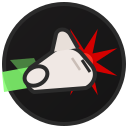
The redemption menu is the single biggest reason players miss free rewards. It is not in the main shop, and it is not labeled "codes." It is a small bird icon tucked into the lobby UI, and if you do not know it exists, you will never find it by clicking around randomly.
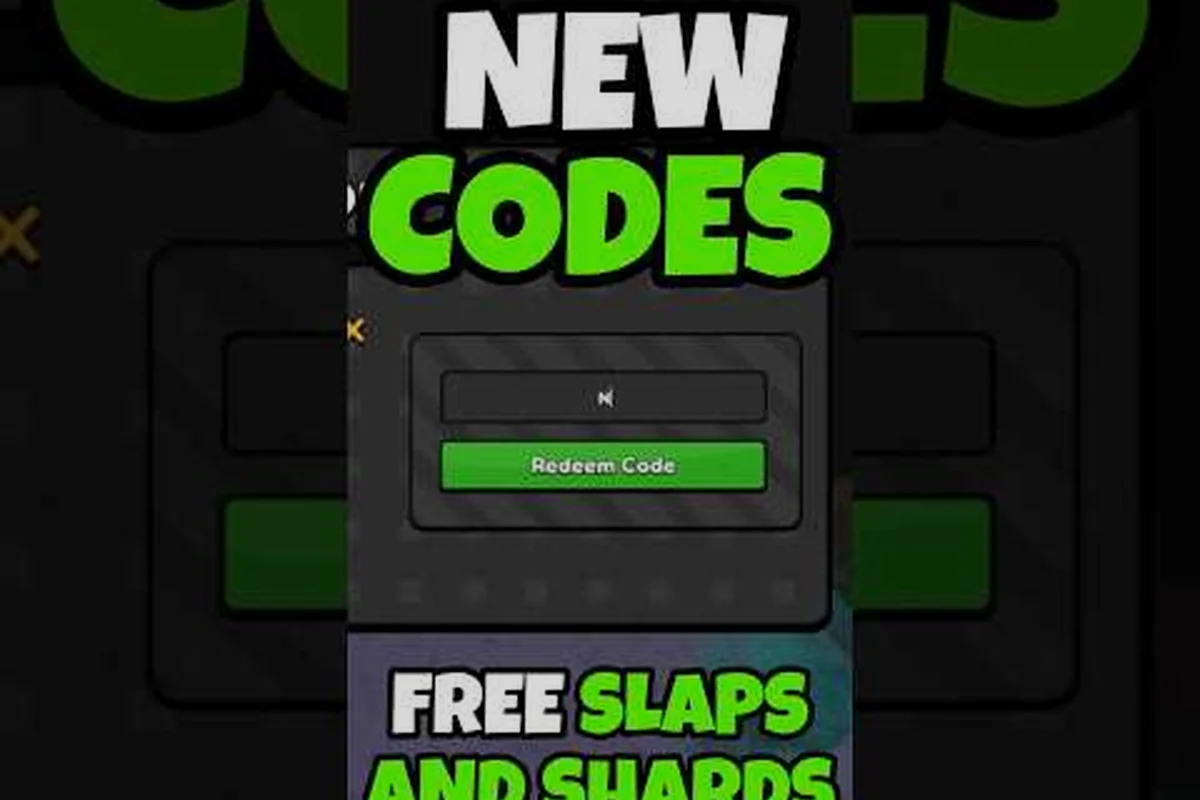
Here is the exact redemption flow: open the bird icon in the lobby, paste your slap battles promo codes into the single-line field, hit submit, and wait for the confirmation popup. The field accepts one code per attempt, so if you are stacking multiple slap battles codes that work today — such as the slap battles active code evilcatseye — you must repeat the loop from step one for each entry. There is no batch redeem and no queue, which is why players chasing several slap battles codes new update drops often clear the fastest-expiring ones first before the reset window closes.
-
Join any Slap Battles server and wait for the lobby to fully load.
-
Look at the left side of the screen for a small bird-shaped button near the settings and shop icons.
-
Click the bird icon to open the code entry field.
-
Type your code exactly as written — codes are case-sensitive.
-
Press the submit button and watch for the reward confirmation popup.
If nothing happens after you press submit, the code is either expired or mistyped — Slap Battles gives no partial credit and no "try again" prompt, so the failure is silent. Because the field is strictly case-sensitive, a single capital letter in the wrong place will fail the check even if the rest of the string matches. This is why codes like the slap battles active code evilcatseye must be copied exactly as posted, and why players tracking slap battles codes new update drops should paste rather than retype from memory. If a known-good code still fails, it has most likely expired, so check the latest slap battles codes that work today before assuming you typed it wrong.
The bird icon itself is easy to overlook because it does not glow or animate. On smaller screens it can blend into the surrounding UI, so if you are playing on a low-resolution monitor, zoom your camera out slightly to make the button easier to spot. Players who have never redeemed a code before often assume the feature does not exist at all — the Slap Battles code redemption walkthrough breaks down the same steps with extra screenshots for anyone still stuck.
Why Some Players Cannot See the Bird Icon
A small number of players report that the bird icon does not appear on their screen at all. In most cases this comes down to one of three causes: an outdated client that has not loaded the current UI, a UI scale setting that pushes the button off-screen, or a temporary server hiccup that resolves after rejoining. Restarting the game and rejoining a fresh server fixes the issue roughly nine times out of ten, based on community reports.
Slap Battles Codes That Work Today vs Expired Strings
The hardest part of any Slap Battles code guide is separating live strings from dead ones, because expired codes fail silently. There is no "this code has expired" message — the game just does nothing. That silence is why so many players believe a code is bugged when it has simply aged out.
The table below breaks down how to judge a code's status before you waste an attempt, sorting each string by its age and origin rather than by how it looks. A code dropped within the last 7 days, like a fresh slap battles codes new update string posted after a patch, is usually live and worth trying instantly. A string from a major update week — say the window when a new glove such as evilcatseye or the redeem bird icon reward went live — is often still active, but you should verify it against a dated list before trusting it. Anything older than 2 months, or tied to a seasonal event that has already ended, is almost always dead.
| Signal | Likely Status | What To Do |
|---|---|---|
| Code posted within last 7 days | Probably live | Try it immediately |
| Code from a major update week | Often live | Try it, then verify |
| Code older than 2 months | Likely expired | Skip unless re-confirmed |
| Code from a seasonal event | Expired after event | Do not bother |
| Code shared without a date | Unknown | Check a dated list first |
The safest approach is to only trust codes that carry a release date and a verification date. A string with no date attached is a coin flip. This is also why dated archives like the full Slap Battles codes list are more useful than random screenshots — you can see exactly when each code was last confirmed working.
The Evilcatseye Code and Other Legacy Strings
The evilcatseye code is one of the most-searched strings in the game's history, largely because it was shared heavily on social platforms during its active window. Like most legacy codes, it has since stopped paying out for new redemptions. If you see it reposted without a date, treat it as expired until a dated source confirms otherwise. The same logic applies to early milestone codes that were tied to specific update windows.
Slap Battles Code Guide: Reading a New Update Drop
Every major Slap Battles update tends to ship with at least one new code, and knowing where to look the moment a patch lands is how you stay ahead. The developer usually drops codes through the game's social channels and the official community hub rather than inside the game itself, so the code often exists for hours before most players notice.
When a new update goes live, work through this checklist in order, because the first hour after a patch is when the most valuable codes are still unclaimed and the least likely to have hit a redemption cap. Start with the developer's social feed, since patch-note posts often embed the code as a plain string rather than a formatted giveaway, which is why players searching for slap battles codes new update sometimes scroll past it. Cross-check the post date against the patch timestamp, then redeem immediately — update-week codes tied to a glove rebalance or a new ability often carry higher slap payouts than the seasonal codes that expire the moment an event ends.
-
Check the game's social feed for a fresh string posted alongside the patch notes.
-
Confirm the code has a post date matching the update.
-
Redeem it within the first day — early codes sometimes have higher reward values.
-
Log the reward amount so you can tell if a re-release changes the payout.
-
Note whether the code is one-time use per account or repeatable.
Community data suggests that update-week codes are the most reliable category overall, because the developer wants players logging in during the launch window. Seasonal codes are the least reliable, since they are hard-wired to expire the moment the event ends. If you want a broader picture of how redemption interacts with progression, the Slap Battles beginner guide explains how slaps feed into glove unlocks so you can judge whether a code is worth chasing.
Tracking Codes Without Getting Burned
The single most effective habit is keeping your own short list: code string, date redeemed, reward received. Over a few weeks this tells you which sources are accurate and which ones recycle dead strings for clicks. It also stops you from re-trying a code you already used, since the game will reject it the second time with the same silent failure.
Common Redemption Mistakes and How to Avoid Them
Most failed redemptions come down to a handful of repeatable errors rather than broken codes, and the table below breaks each one into its cause and fix so you can self-diagnose in seconds. The pattern is consistent: the game's redeem field performs an exact string match against the stored code, so a single stray character — a trailing space pasted from a Discord message, a lowercase i swapped for a capital I — returns the same silent rejection as a genuinely dead string. Before you declare a slap battles promo code expired, confirm you opened the bird icon menu rather than the settings panel, since the redeem box only accepts input there, and check your own redemption log to rule out an already-redeemed entry. Working through the table top to bottom in that order eliminates the four most common false alarms.
| Mistake | Why It Fails | Fix |
|---|---|---|
| Wrong capitalization | Codes are case-sensitive | Copy the exact string |
| Extra spaces | Trailing space breaks match | Trim before submitting |
| Already redeemed | One use per account | Check your own log |
| Expired string | Silent rejection | Verify date first |
| Wrong menu | Bird icon only | Confirm you opened the right panel |
The case-sensitivity rule catches more players than any other issue. A code written as EvilCatseye will not match evilcatseye, and the game gives you no hint about which character is wrong. Copy-paste where possible, and if you are typing manually, slow down on the first and last characters — those are the most commonly fumbled.
It also helps to understand that codes are validated server-side. That means a code can work on one server and fail on another if the servers are out of sync during an update rollout. If a fresh code rejects on your first try, rejoin a different server before assuming it is dead. This is a known behavior during patch windows and usually clears up within an hour.
When to Stop Chasing a Code
If a code has failed on two different servers, at two different times, and carries no recent verification date, stop trying it. Continuing to submit a dead string costs you nothing in currency, but it wastes time you could spend on actual progression. The unlock requirement breakdown explains which rewards are gated behind codes versus normal play, so you can decide when a string is genuinely worth the effort.
Frequently Asked Questions
Where do I enter Slap Battles promo codes?
Open the lobby and click the small bird icon on the left side of the screen, near the settings button. A text field appears where you type the code exactly as written. Press submit and the reward lands instantly if the string is still active.
Why did my code say nothing happened?
The redemption handler returns a generic failure state for both expired and mistyped strings, which is why the bird icon prompt never flashes a red error — it simply closes as if nothing was submitted. Before retrying, verify three things: exact capitalization (codes are case-sensitive, so Evilcatseye fails where evilcatseye succeeds), no trailing space picked up from a copy-paste, and a verification date within the current update window. If all three check out, hop to a different server, since a desynced lobby can swallow the reward even when the code is still live.
Is the evilcatseye code still working?
The evilcatseye string circulated heavily during its active window but has since stopped paying out for new redemptions, based on community tracking. Treat any repost without a dated confirmation as expired, and rely on a dated list instead of social media screenshots.
Can I redeem the same code twice?
No. Each code is limited to one redemption per account, so re-entering a string you already used will fail silently. Keeping a personal log of redeemed codes prevents wasted attempts and helps you spot which sources recycle dead strings.
How often do new codes drop?
New strings typically arrive alongside major updates and seasonal events, with update-week codes being the most reliable. Seasonal codes expire when the event ends, so redeem them the day they appear rather than saving them for later. As a rule of thumb, treat any code older than one full update cycle as dead unless a dated source confirms otherwise — the evilcatseye string is the clearest example, since it paid out reliably during its window but now fails silently for new redemptions. Bookmark a dated tracker rather than relying on reposted lists, and check it right after each patch drops, when the freshest batch of slap battles codes new update strings tends to surface.
Final Word on Slap Battles Promo Codes
The winning routine is straightforward: find the bird icon, type codes exactly as written, and only trust strings with a recent verification date. Slap Battles promo codes reward players who check a dated source the moment an update lands, not players who hoard screenshots from months ago. Keep a short personal log, redeem update-week codes within the first day, and stop chasing strings that have already failed twice. Do that, and the free slaps keep flowing without a single Robux spent.